


How to follow koinonia live

Are you looking for How to Follow koinonia live? Congrats, you are on the right page!
In this short tutorial, I will show you how you can stream/follow koinonia live at the comfort of your home and listen to Apostle Joshua Selman and other Anointed ministers in the programme.
Let’s get started…
Steps on how to follow koinonia live
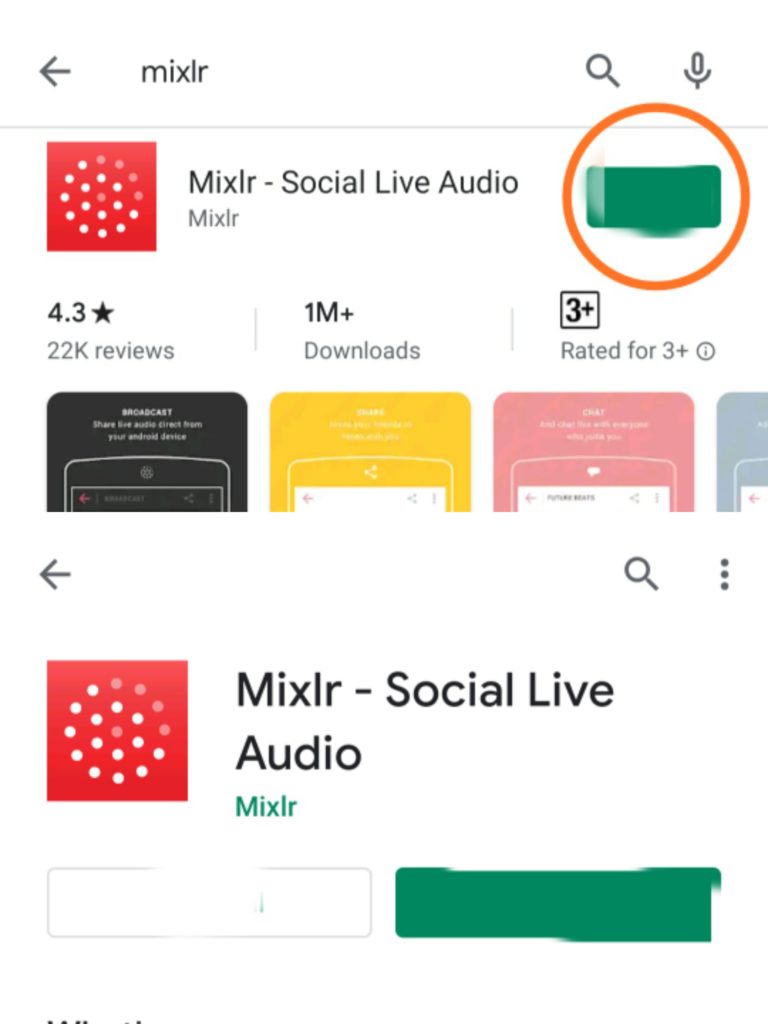
Step 1: Go to Android playstore on your device and download an application called “Mixlr”
Once you have finish downloading the application it will automatically install to your phone .
*Note: If you’re an iPhone user, you will need to go to iPhone app store to download the application.
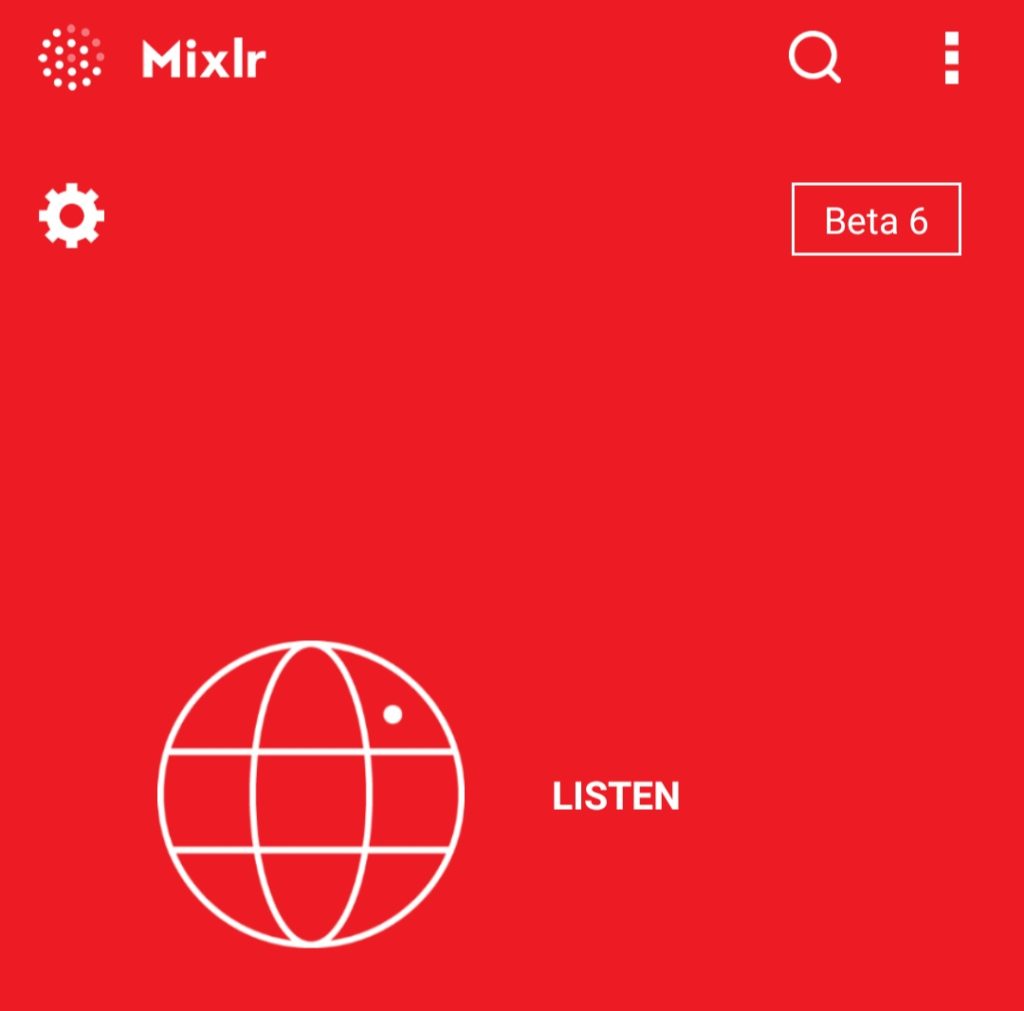
Step 2: Open the Mixlr application you just downloaded on your device, and then click on “Listen“.
Step 3: Click on the search 🔎 button at the top right of your phone .
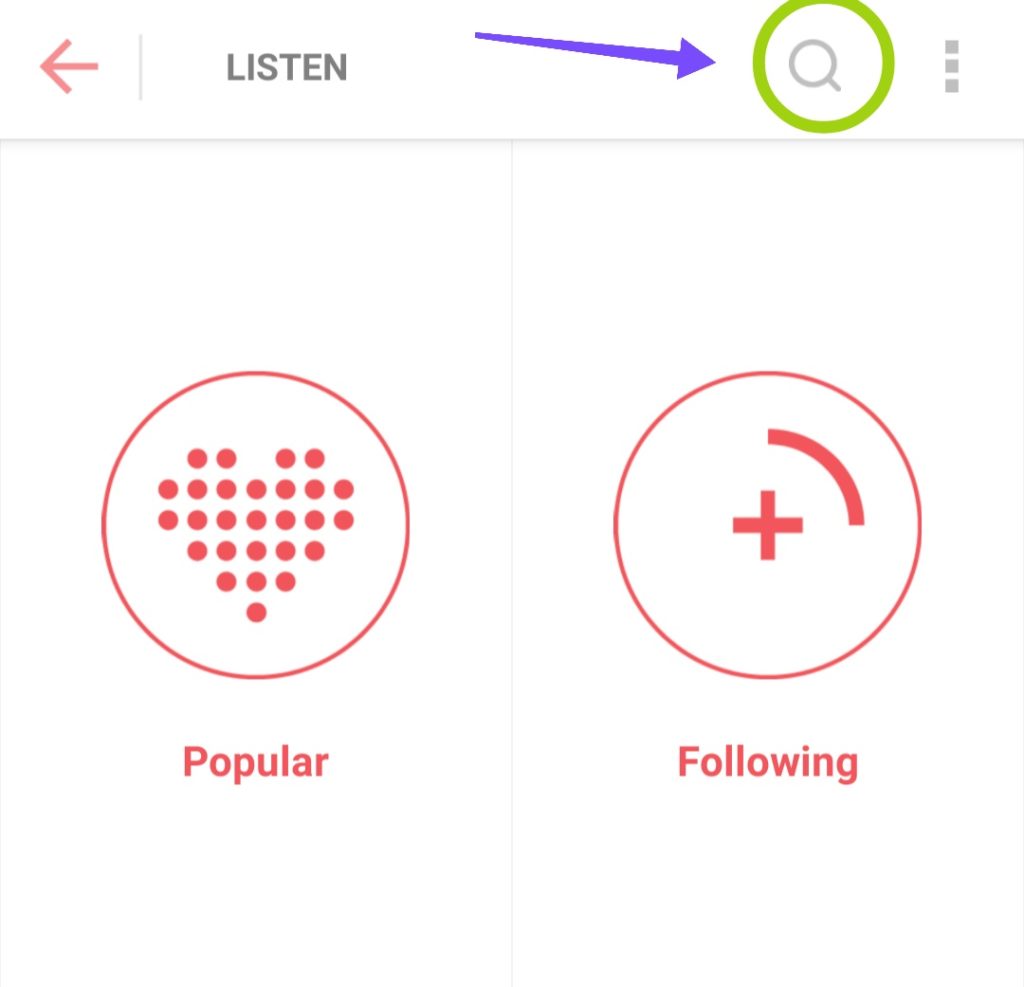
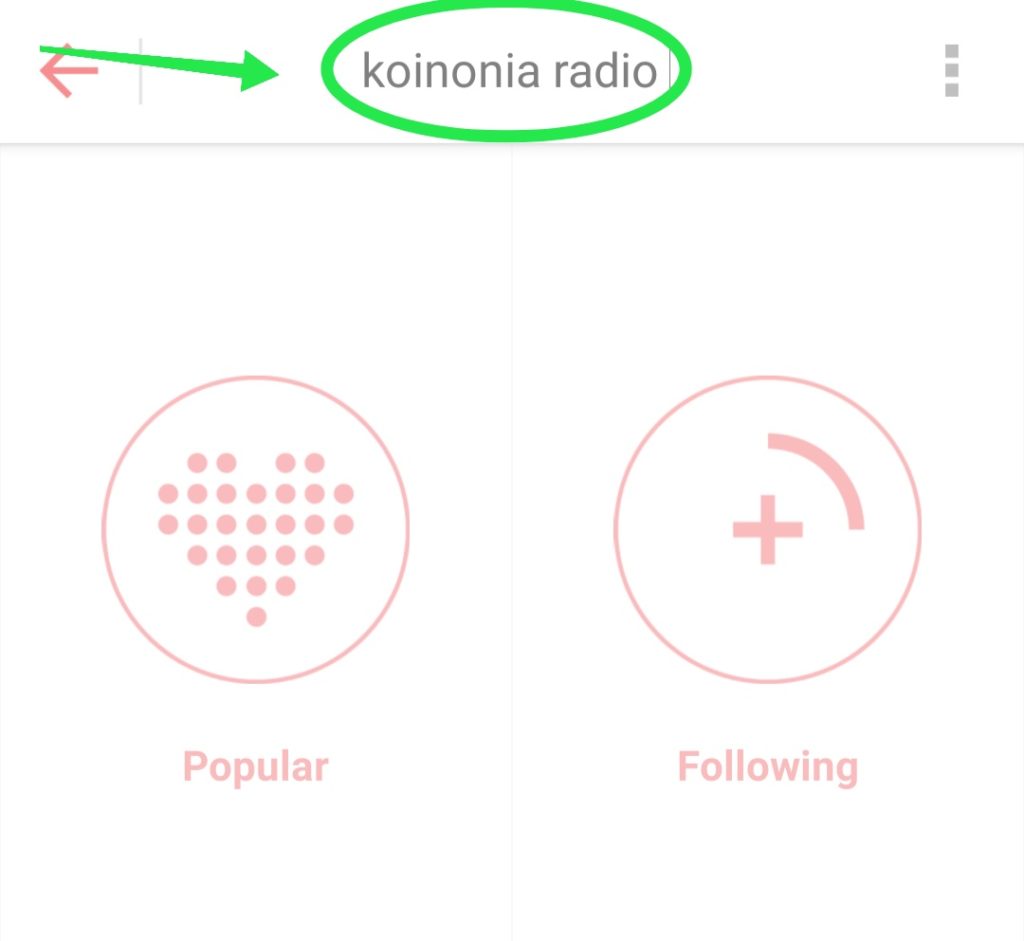
Step 4: A small box will be displayed on your phone, just type “Koinonia radio” inside it, then press the Enter key on your phone keyboard.
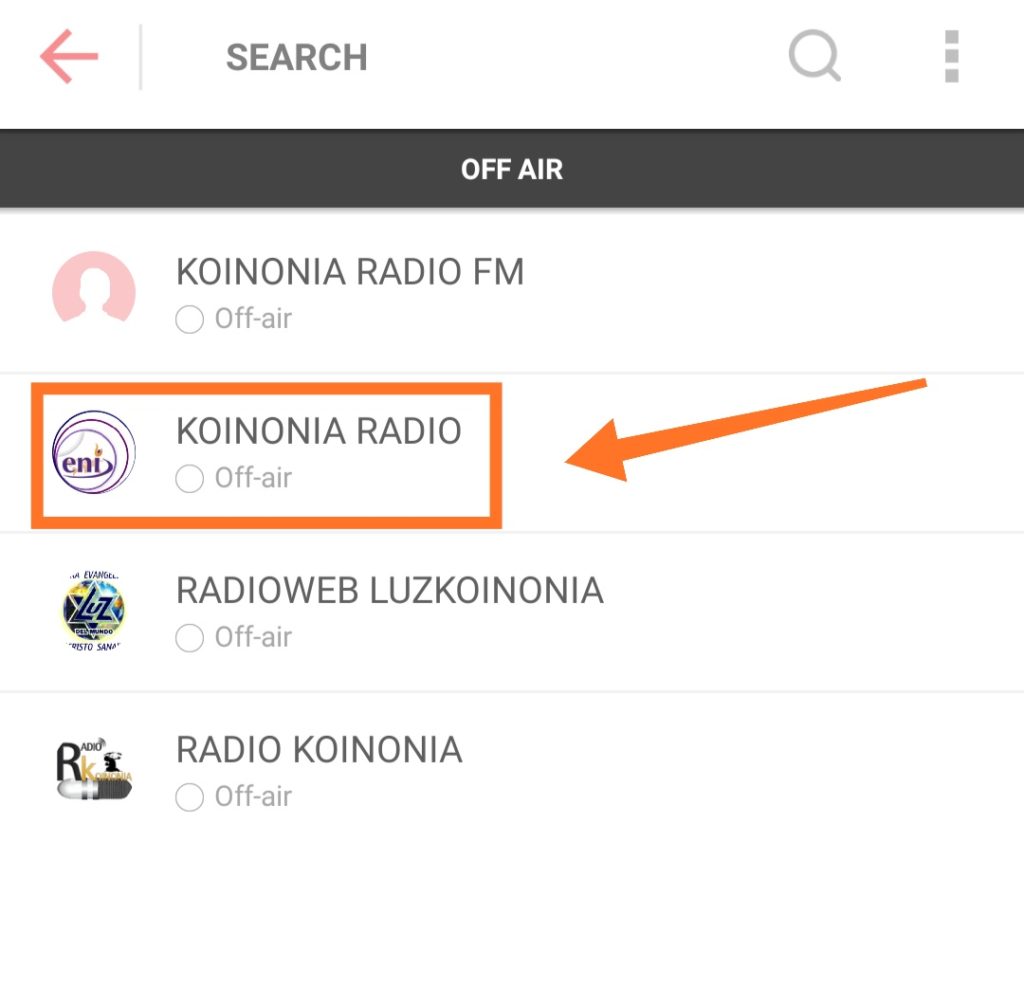
Step 5: You will see 3 to 5 results, just click on the second option (Koinonia radio).
Step 6: Immediately you click on Koinonia radio, it will bring you to a page like this and you will begin to hear the live program on your phone.
* Please note that koinonia online radio works only during koinonia services (6pm to 12am on every Friday alone). If you try listening to it any other day or time, you will not hear anything on the channel.
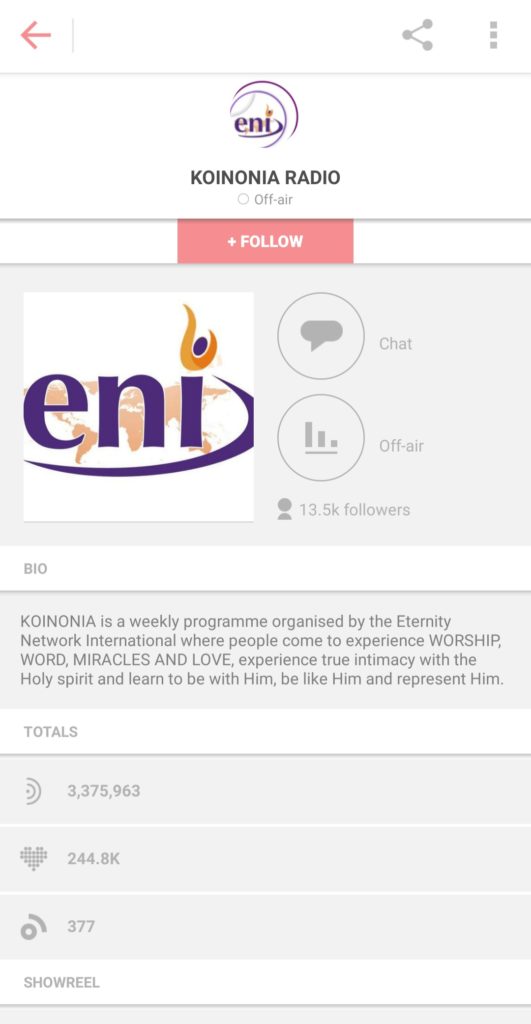
If you don’t want to keep repeating Step 1 to 6 every time you want to listen to koinonia live radio, then you have to subscribe to their channel. I will explain how to subscribe in step 7.
Step 7: While you are still on step 6 of this tutorial, click on the “+ Follow” button at the top middle.
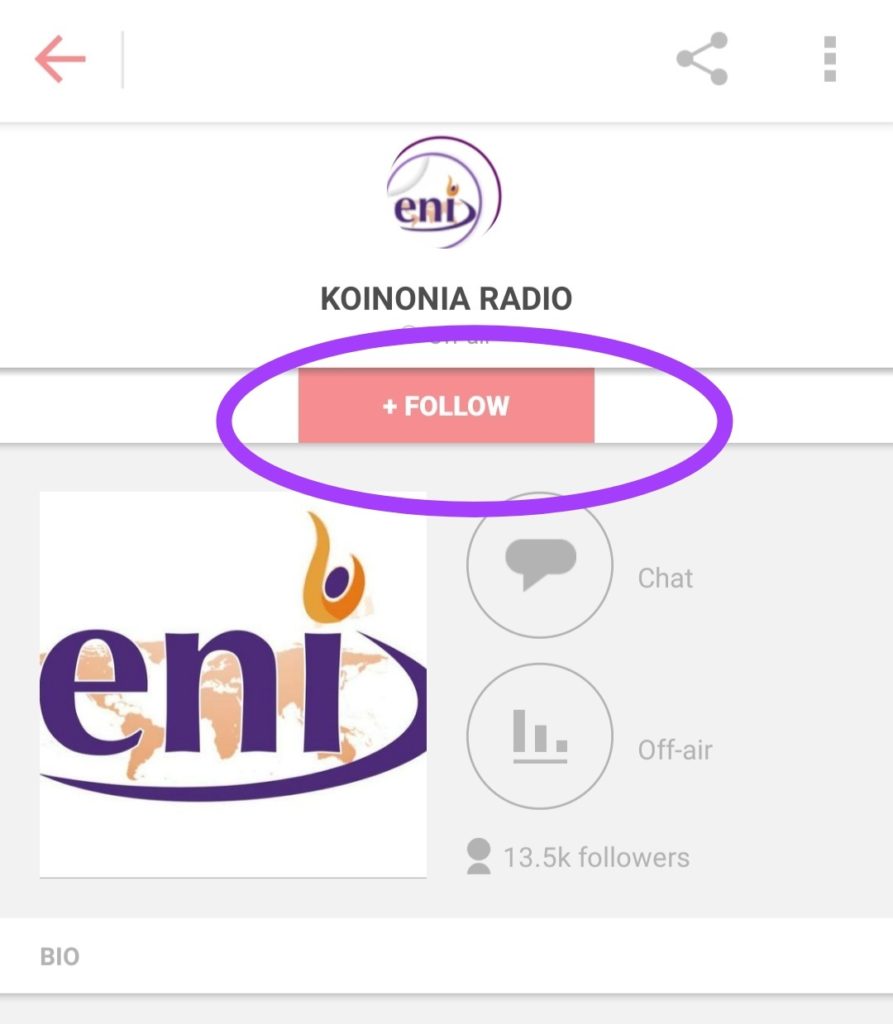
Step 8: You will be prompted to sign up with mixlr, just click on the “Create an account” button and complete the registration.
Step 9: After completing the registration, login with your details and you will be brought back to koinonia online radio.
Step 10: By the time you login, you will see a button called “Following“, which signifies that you have successfully subscribed to koinonia live radio.
Now, anytime you want to listen to koinonia service (every Friday by 6pm), all you need do is to:
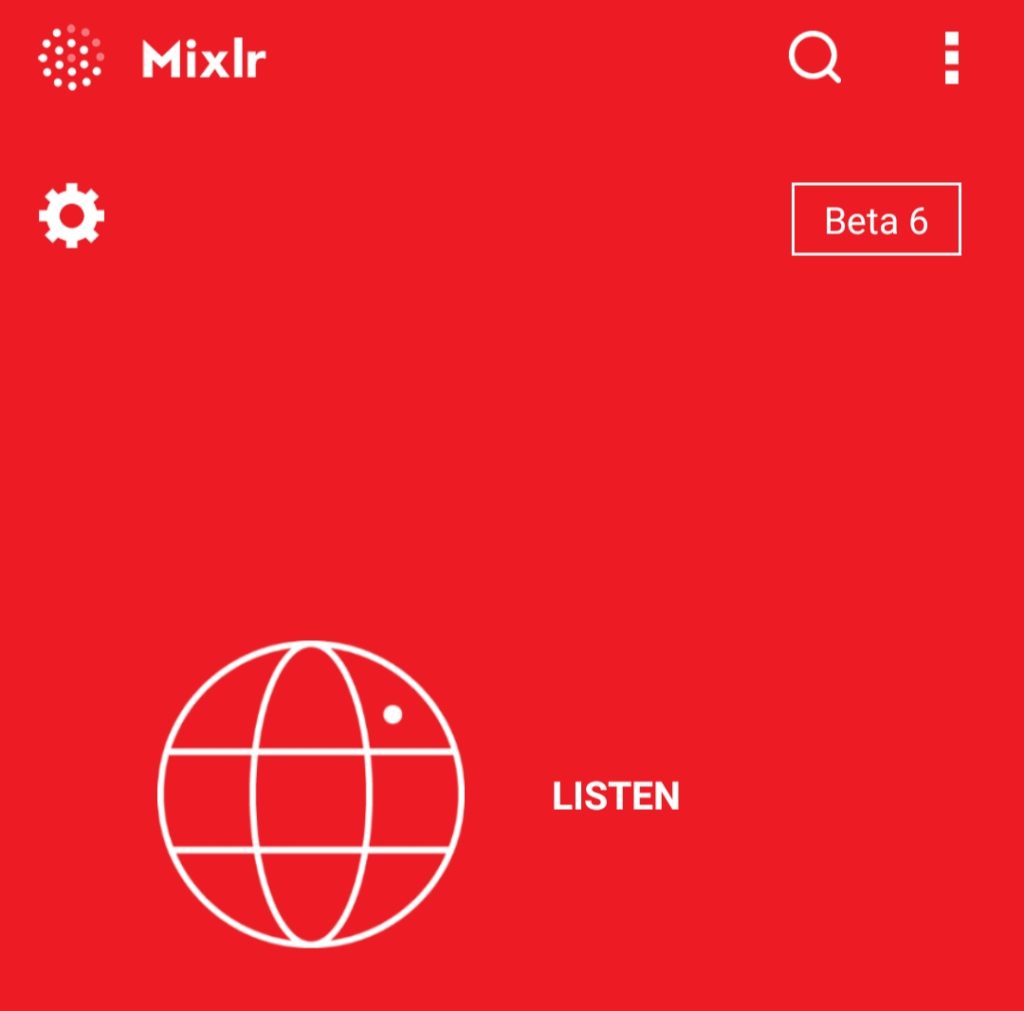
i) Open the Mixlr application on your phone and click on “Listen”
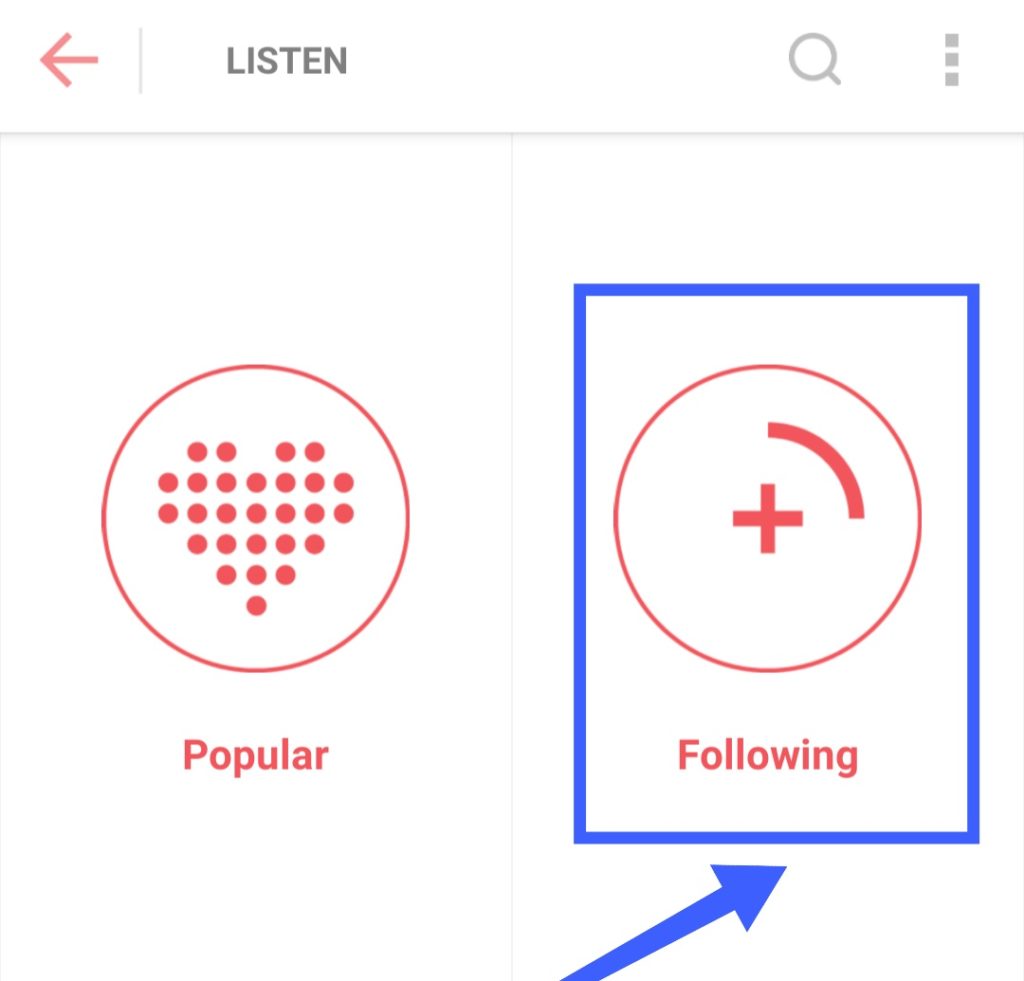
ii) Click on “Following”
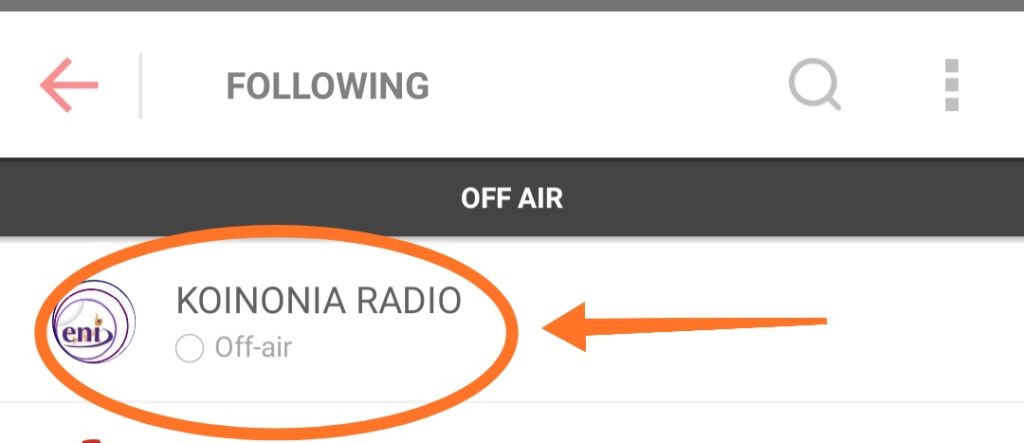
iii) Click on “Koinonia Radio“. The radio will begin to play (provided you tune in during koinonia service)
That’s all!
……………………………..
Do you still find it difficult to follow koinonia Live?
Would you like to ask me any question pertaining to koinonia or Apostle joshua selman?
Kindly comment below and I’ll reply you immediately.
Click here to DOWNLOAD APOSTLE JOSHUA SELMAN 2019 MESSAGES
Click here to DOWNLOAD ALL APOSTLE JOSHUA SELMAN MESSAGES
SHARE THIS TUTORIAL WITH YOUR FRIENDS ON FACEBOOK, TWITTER AND WHATSAPP.
WHAT IS KOINONIA?
– Koinonia with apostle joshua selman nimmak is a powerful program that holds every Friday by 6pm at “Christ Gospel Church”, New Extension, Samaru, Zaria-Kaduna state.
If you need further clarification, kindly call the Public Relations Help Line on 08147214444.
Related terms
koinonia online, apostle joshua selman 2019, koinonia radio show, koinonia messages 2019 download, koinonia services, koinonia app, koinonia apostle joshua selman nimmak, koinonia October, apostle joshua selman live streaming, koinonia live radio, koinonia live service, how to follow koinonia Live, watch koinonia live, apostle and selman live streaming, how to stream koinonia live, how to follow koinonia online.




![[Download] Koinonia Abuja Miracle Service August, 2025 12](https://naijasermons.com.ng/wp-content/uploads/2025/08/Screenshot_2025-08-31-22-24-46-875_com.instagram.android-edit-420x280.jpg "[Download] Koinonia Abuja Miracle Service August, 2025 37")

![SEASON OF RAIN By Apostle Joshua Selman [Download Now] 16](https://naijasermons.com.ng/wp-content/uploads/2020/08/selman8.jpg "SEASON OF RAIN By Apostle Joshua Selman [Download Now] 43")
I want to be pat of the kingdom family
We upload Koinonia messages regularly on our WhatsApp groups. Send a message to +2347064272729 to join now.
Thank you so much for the derivatives
My question is , does it mean i can’t watch a live video of kononia service?
How can I watch koinonia while going on live
This is the link to follow koinonia live sir/ma
https://naijasermons.com.ng/koinonia-abuja-live-stream-today/
Please sir I need to watch Apostle Joshua live performance. I don’t want only Fridays Koinonia meetings. When(time) and where can I watch him ministering live
Pls where can I send my thite to …
Eternity Network International
Account Number: 0113343316
Bank: GTB Current account
Good evening Sir,
Please where does this Kiononia meeting normally holds? Am writing from Benin City, Edo State. Address pls, I don’t mind joining this kindom family fellowship
Koinonia Holds in 2 Places:
1. Kaduna (Fridays) by 5.30PM
16/17 Alin, Basawa Road, Zaria
2. Abuja (Sundays) by 5.30PM
Chida Event Center, Plot 224 Solomon Lar Way, Utoko District Abuja.
For further enquiries, you can contact the public relations/protocol department via +2349150227448 or +2349077777853 (none is available on WhatsApp for now).
Please beg Apostle on our (online followers) behalf to always carry us along. Pray for us so that we will be falling under anointing, receiving instant healings, deliverables and breakthroughs while we follow and listen live.
So shall it be in Jesus name sir 🙏
Where can I send a Church offers
Good day sir.
Would you like to commit your funds to the ministry?
How about Sunday services. Is there any?
No, sir.
Koinonia holds only on Fridays by 6pm
Thanks for the guide,how about on sundays?
How can I follow koinonia live on Sundays and what time is it?
Good morning sir
Koinonia holds only on Fridays by 6pm.
Please how can I download the furnance of affliction
Please I want to download what seekest thou
Thanks for the direction, but have done everything and am not hearing anything
I love this page and forever am I ready to press together with this family “koinonia ” ENI
Hip Hip Hip hurray!!! It’s my time to arise, be strong and possess my possessions and overcome. God richly bless Aposlte Selman. Long live Koinonia.
Ameeeen.
Too complicated to just get on live. I hope it can be made easily accessible in the future.
Thank you so much for this direction. That’s what I have been waiting for since.